
Finished fitting your Motocal graphics? Share a photo or video of them on Facebook for your chance to win your next full Motocal Graphics Kit FREE, including shipping.
How to win Free Motocal Graphics Kit
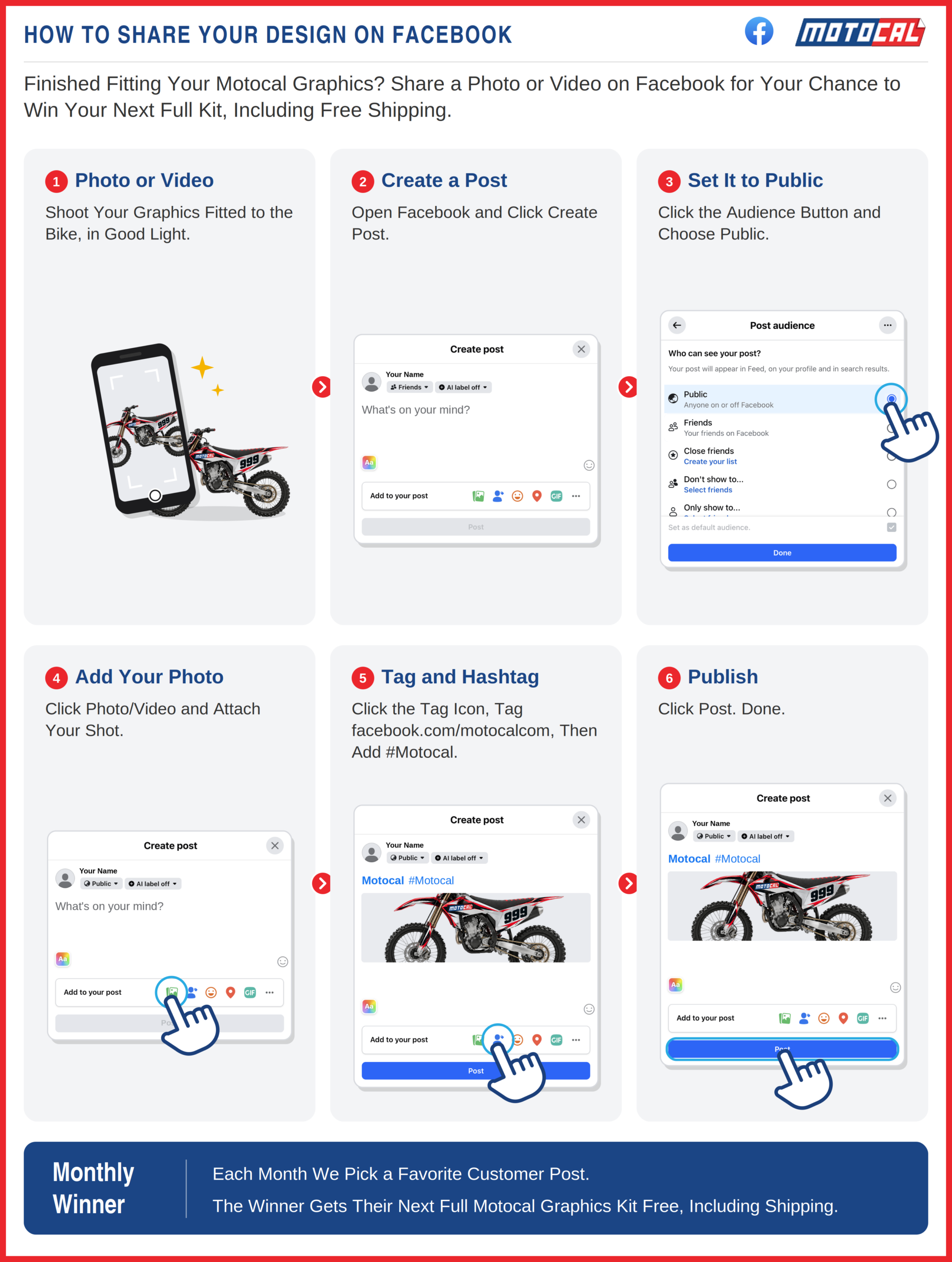
When you share your design on Facebook, tag Motocal and add #Motocal, you get a chance to win Free Graphics Kit and Free Shipping for your next order. Here is how to get the best of the both worlds, sharing your Design and standing a chance to win a free Graphics Kit.
1. Take a Photo or Video
Take a clear photo or video showing your Motocal graphics fitted to your bike or vehicle.
2. Create a Facebook Post
Open Facebook and create a new post.
Add your photo or video showing your finished Motocal graphics.
3. Tag Motocal
Tag the official Motocal Facebook page in your post: facebook.com/motocalcom
This helps us find your post and see your finished graphics.
4. Add #Motocal
Include #Motocal in your post.
5. Publish Your Post
Post your photo or video on Facebook. Where possible, make sure the post can be viewed publicly so Motocal can find and view your entry.
Each month, we review customer photos and videos shared with Motocal and select one of our favorite submissions. The monthly winner receives their next full Motocal Graphics Kit FREE, including shipping.
Share Your Motocal Graphics
Take a photo or video. Post it on Facebook. Tag Motocal. Add #Motocal.
And you could win your next full Motocal Graphics Kit FREE, including shipping.